
|
|

|
|
|
|
|
Log into your IWeb account
Select Trading then Trading History & Contract Notes
Select the search period and click Submit
Select all the information in the table and copy to the Windows clipboard with CTRL+C
Paste the IWeb trade information into the text box on the convert format page.
Select the Iweb option and click the CONVERT button to convert the trade information into a valid file format
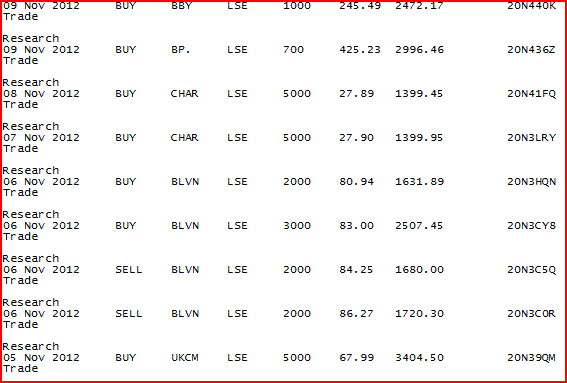
Example IWeb file
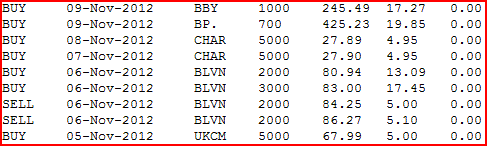
File in correct format
General Info
Since the cost of the trade and the stamp duty is not specified the converter combines the trade cost and stamp duty into the trade cost field. Therefore the stamp duty field is always zero. This will not affect the capital gain calculation. In addition notice in the above screenshot how the trade cost is sometimes £4.90 or £5.10. This is because the share price has been rounded to 2 decimal points from 3 or more. The trade cost compensates for this discrepancy. Again this will not affect the capital gains calculation.
